
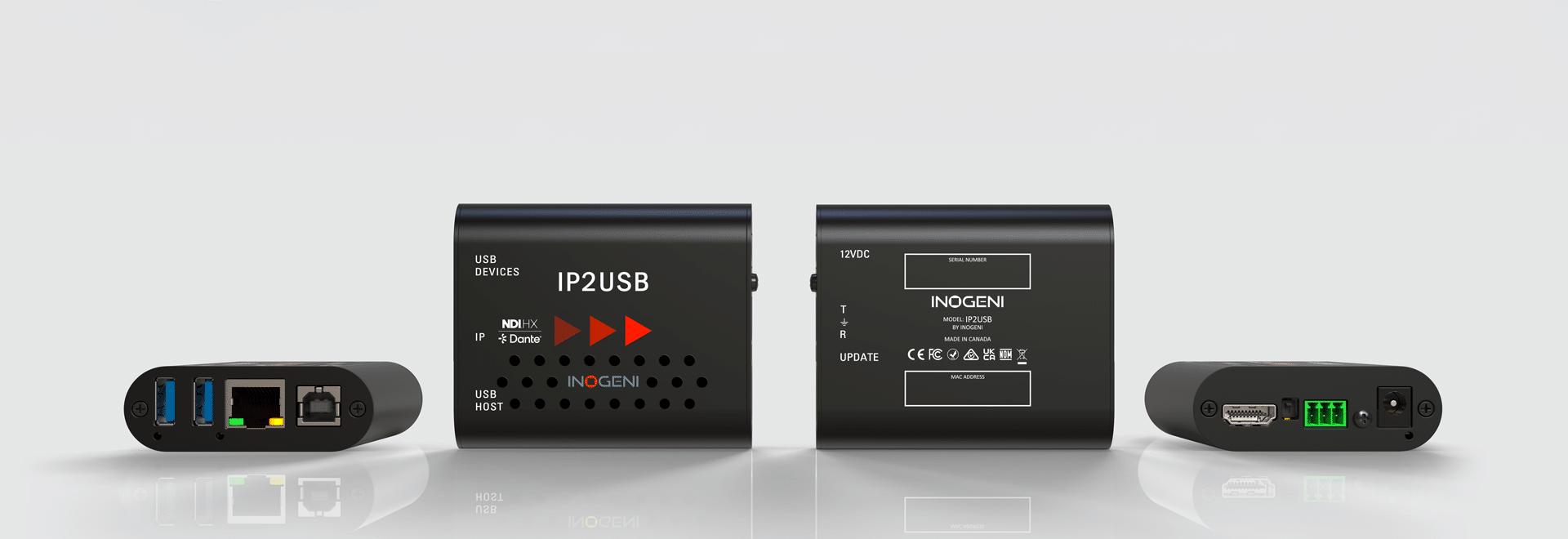
The IP2USB – IP-to-USB converter and switcher can be used for a wide variety of applications.
The IP2USB simplifies your workflow by directly bridging any IP camera to your laptop over the network. Simply enter the IP address, and Microsoft Teams instantly recognizes the feed as a standard, plug-and-play USB camera.
The IP2USB is NDI® Certified for proven interoperability, performance, and reliability across professional AV-over-IP and USB conferencing workflows.
Training video
INOGENI's CAMTRACK is a Game Changer — Full Demo at ISE 2026 (The Tech Effect) (USB/HDMI/IP/NDI CAM)
15:00
+ See all videos on Youtube
Automated multi-camera applications
Optimize your IP2USB multi-camera switcher with CAMTRACK — Automated voice-activated multi-camera switching
The ultimate hardware switching backbone for CAMTRACK automation
The IP2USB (video and audio) functions as the high-performance hardware switcher for the CAMTRACK ecosystem. In this architecture, CAMTRACK acts as your Virtual Technical Director, orchestrating complex multi-camera environments by listening to real-time data from Shure audio zones. It instantly triggers the correct camera based on active speaker and preset to ensure a seamless transition between speakers.
This synergy ensures far-end viewers always receive the optimal camera angle through an automated and high-quality viewing experience. It bridges the gap between professional IP/NDI/Dante infrastructure and standard USB-based conferencing platforms with confidence.
- Massive scalability for any environment:Effortlessly scale your AV design from 3–6 cameras for standard boardrooms, U-shape meeting spaces, and small-to-medium courtrooms. Move up to 8 cameras with the standard CAMTRACK license, or deploy a massive 12-camera NDI/RTSP array using CAMTRACK PRO for large auditoriums, forums, or expansive lecture halls.
- Mission-critical hardware switching:Offload the heavy lifting of decoding multiple NDI, NDI HX, or RTSP streams to the IP2USB’s dedicated hardware. This ensures low-latency switching and a stable, driverless USB output that remains 100% reliable during mission-critical litigation, government hearings, or executive corporate meetings.
- Dante audio integration with easy routing via Dante Controller – Learn more
- Intuitive control and customization:Empower integrators and end-users alike by utilizing the IP2USB integrated web interface to assign friendly names to each camera position (e.g., judge’s bench, witness stand, or podium). For advanced setups, easily integrate with professional control touchpanels, such as Crestron or Extron, for customized manual override and precise preset management.
Seamless IP-to-USB videoconferencing with CAMTRACK
Discover the CAMTRACK ecosystem with the IP2USB device.
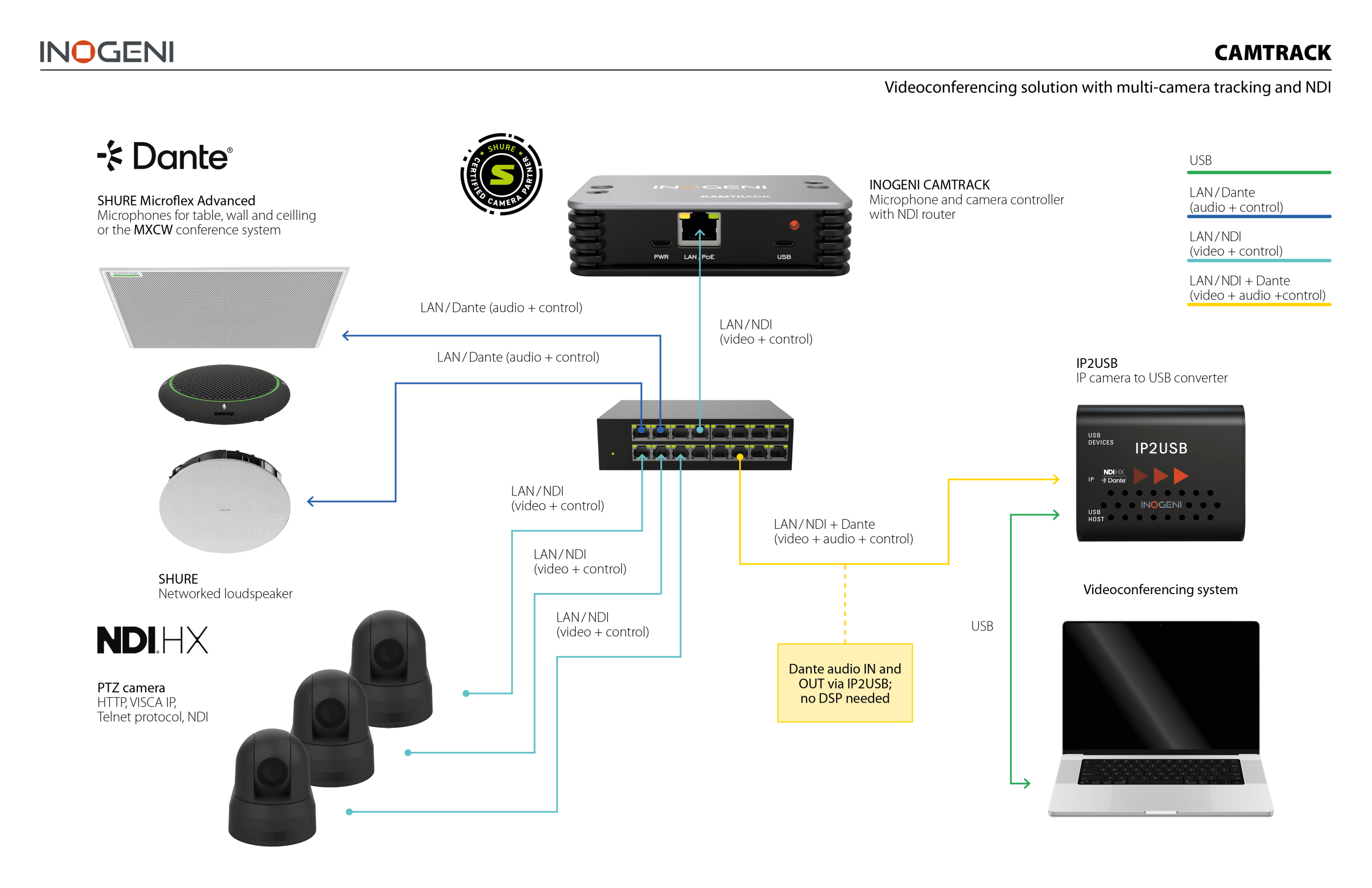
Ready to see it in action?
> Learn more and discover all applications, technical diagrams, and demo videos on the CAMTRACK product web page.
General multi-camera application with manual switching
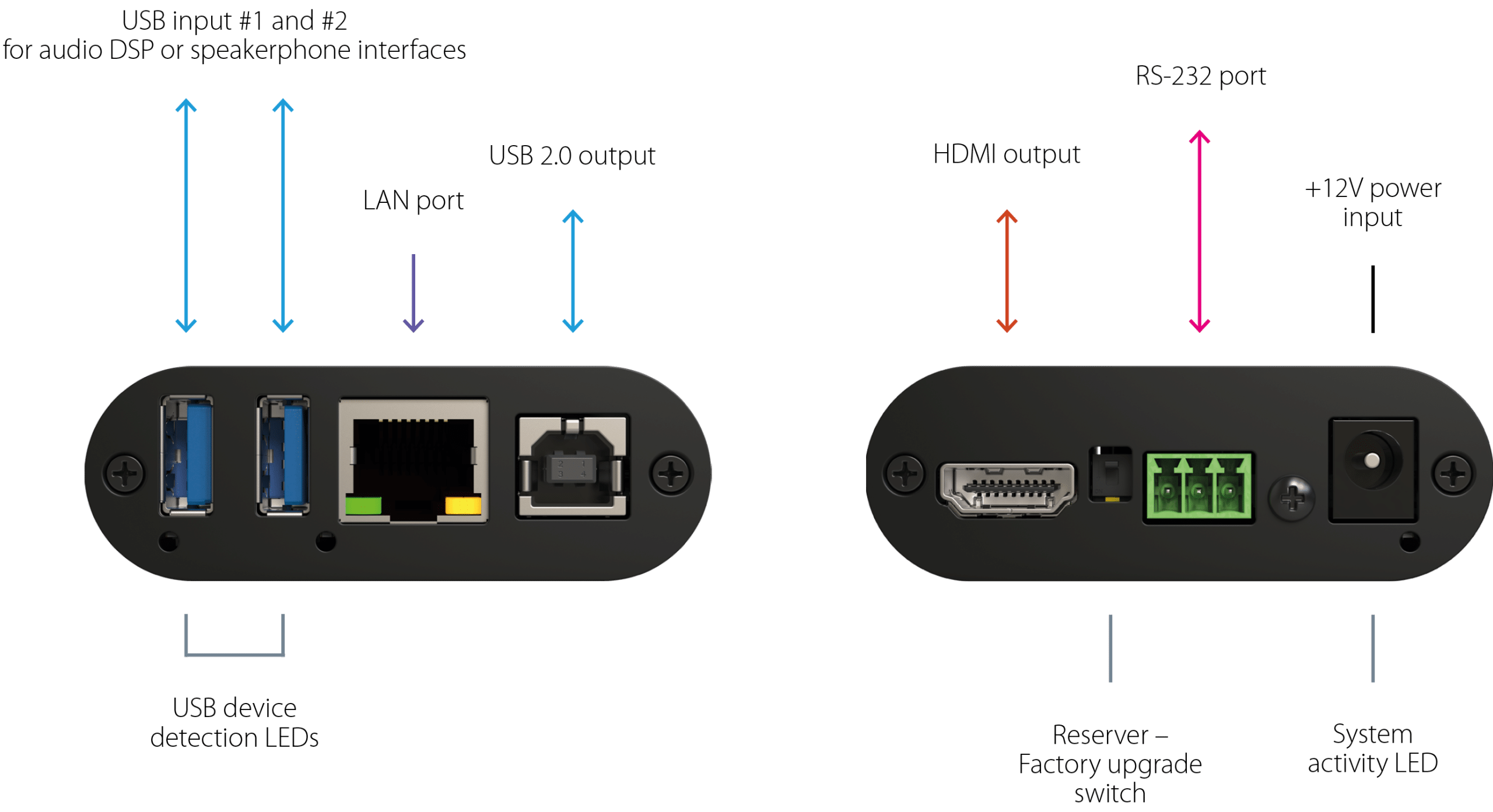
The INOGENI IP2USB enables you to easily connect IP-based cameras to a laptop or UC system via USB, eliminating the need for costly USB extenders. The device converts AVoIP signals, such as NDI, NDI HX, and RTSP, into USB and HDMI outputs, simplifying integration with USB peripherals and video conferencing equipment. By leveraging IP-based communication, the IP2USB provides high-quality, low-latency video and audio streaming to laptops or CODEC systems, ensuring seamless connectivity in professional AV environments.
Manage up to 10 IP video feeds with the IP2USB, providing a versatile switching solution for large-scale environments, including forums, auditoriums, and council chambers. This flexibility is also ideal for educational settings, such as lecture halls and divisible classrooms, where multiple camera angles are essential.
Divisible rooms management
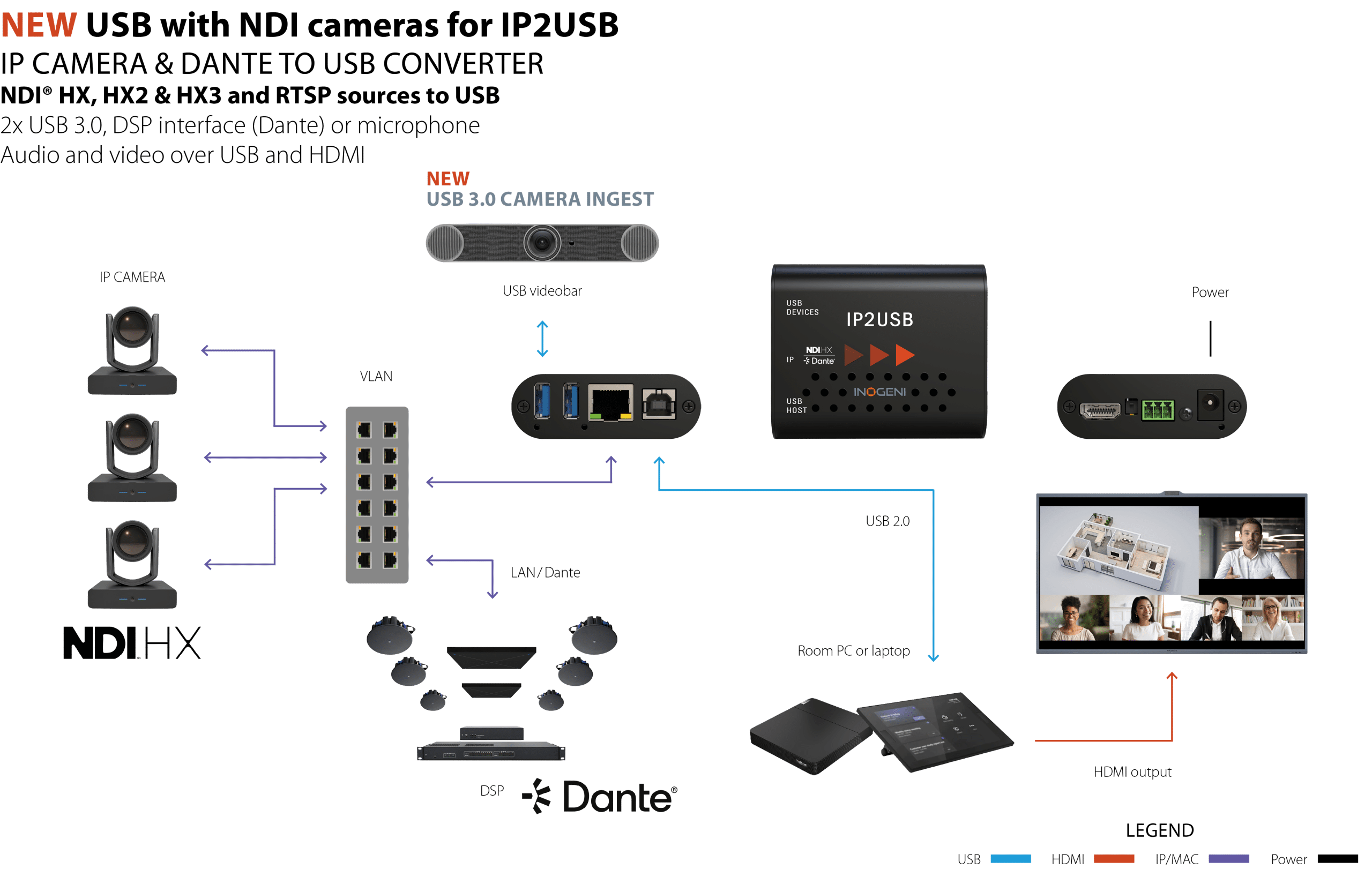
For multi-camera environments, the IP2USB can aggregate the signals from each camera, routing them over a single Ethernet connection to your laptop or codec system. This enables users to connect advanced cameras directly to their USB-enabled video conferencing hardware or software, without the need for additional infrastructure. The device also supports PTZ control, making it an ideal choice for dynamic, multi-camera setups.
Multi-camera switching made easy
To switch between four cameras manually using the IP2USB, simply access the device’s integrated web interface and select your desired source from the list of customizable friendly names. Alternatively, you can trigger instant camera changes using a physical control touchpanel, such as a Crestron or Extron controller, connected via the RS-232 or LAN.


